
SMS
Feature Overview
The SMS Feature is an instant messaging management module designed specifically for educational institutions and enterprise organizations. Through this feature, administrators can quickly and accurately send important messages such as administrative announcements, course reminders, enrollment messages, safety notifications, and emergency situation handling notifications, ensuring that information can be delivered to students, parents, or staff in a timely and accurate manner, greatly improving communication efficiency.
Main Features
- Supports immediate and scheduled SMS sending
- Batch import recipient lists to improve bulk SMS sending efficiency
- Customizable frequently used phrases to accelerate message composition
- Precisely set recipients (classes, individual students, staff)
- Provides complete sending records and real-time status tracking
SMS Sending Feature Description
Basic Introduction
Management Area > SMSThrough this feature, various notifications such as class start notifications, class adjustment messages, and administrative announcements can be quickly sent to staff or student mobile phones. If you need to enable or increase SMS credits, please contact our company customer service personnel.

Advanced SMS Management
Management Area > SMS > SMSThis feature can quickly deliver daily class notifications, course information updates, and temporary class adjustment messages. If you need to activate the SMS service, please contact our company to purchase the corresponding SMS credits.
Steps for Sending SMS
- Log in to the backend and go to Management Area > SMS.
- Click Add SMS.
- Enter the message content, set the sending time, and estimate credits.
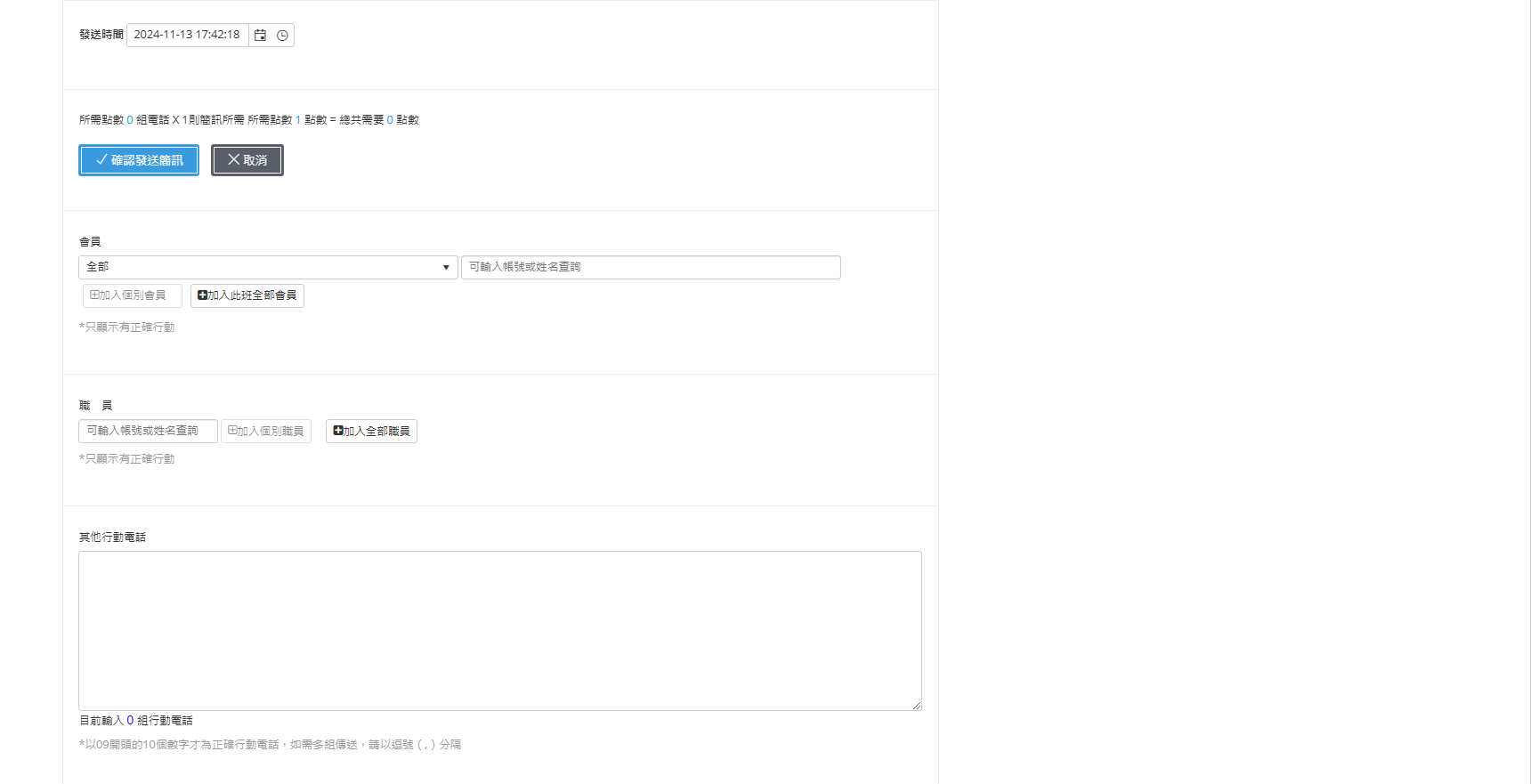
- Precisively select recipients (students or staff).
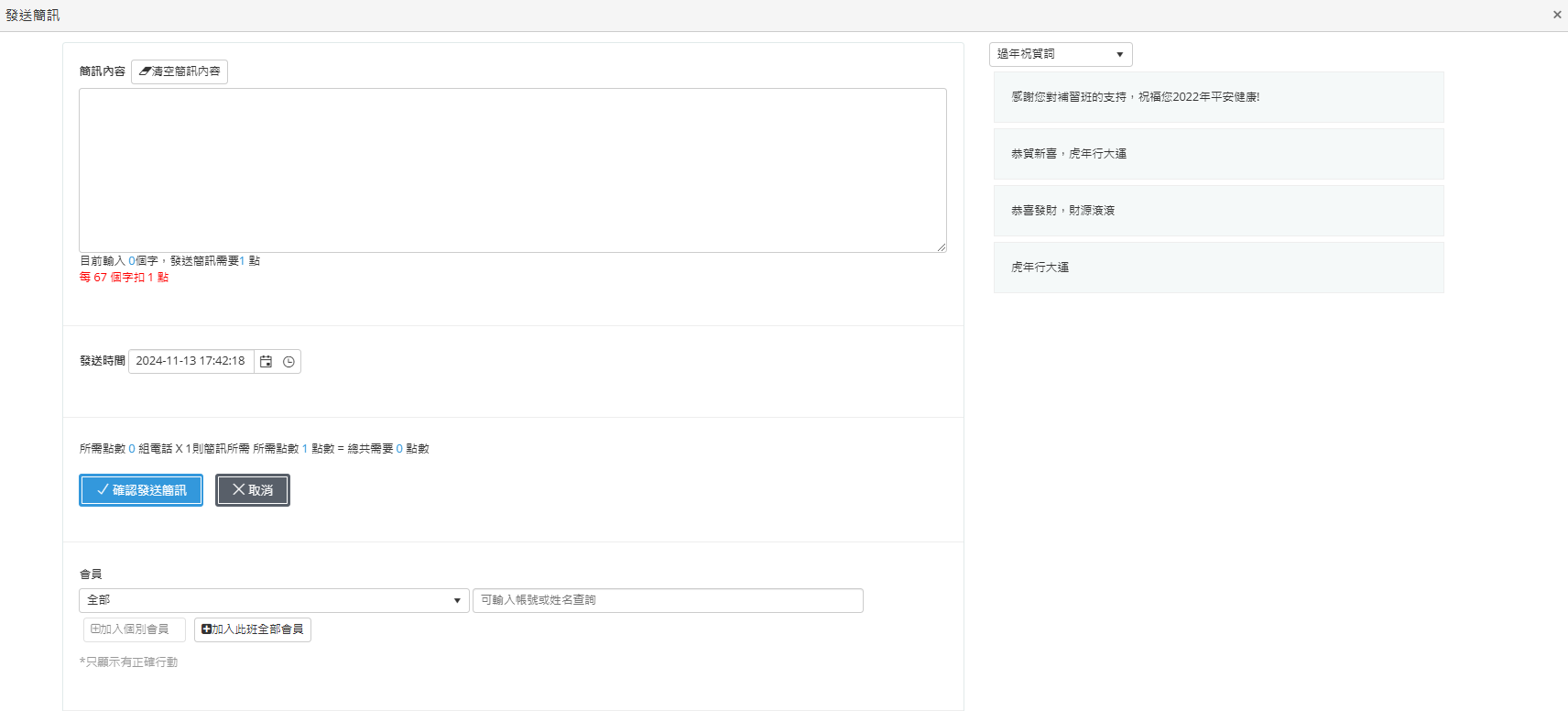
- After confirming the list, click Confirm Send SMS to complete.
Bulk SMS Sending
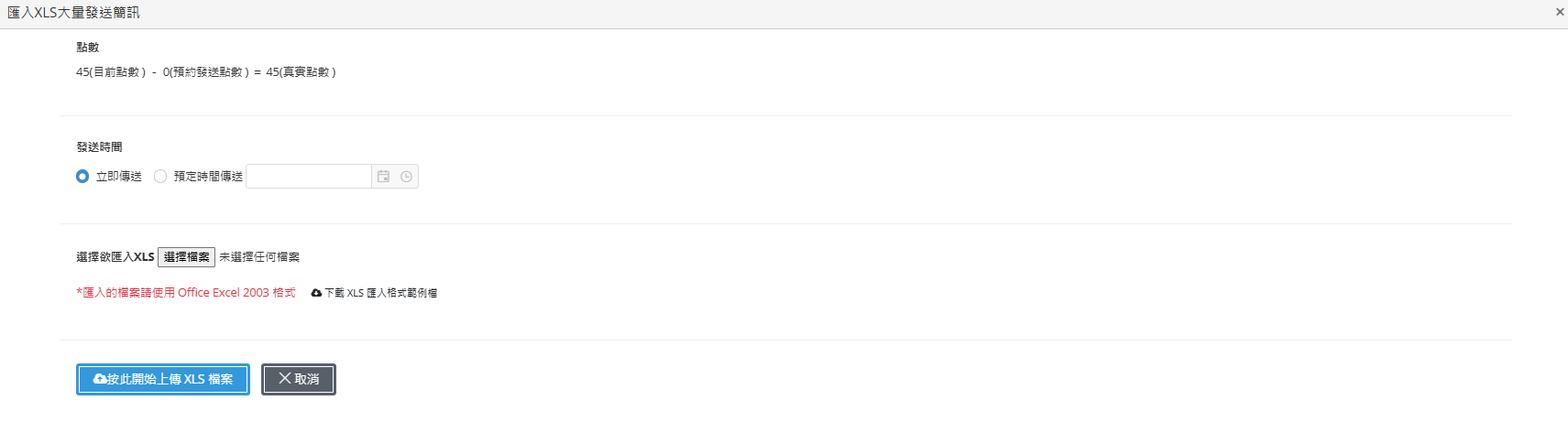
The system provides an XLS file batch import feature, which is suitable for situations requiring bulk message sending.
- Download the sample file.
- Edit and fill in the SMS content and recipient information.
- Upload the completed file.
- The system automatically recognizes and sends.
Modify Frequently Used Phrases
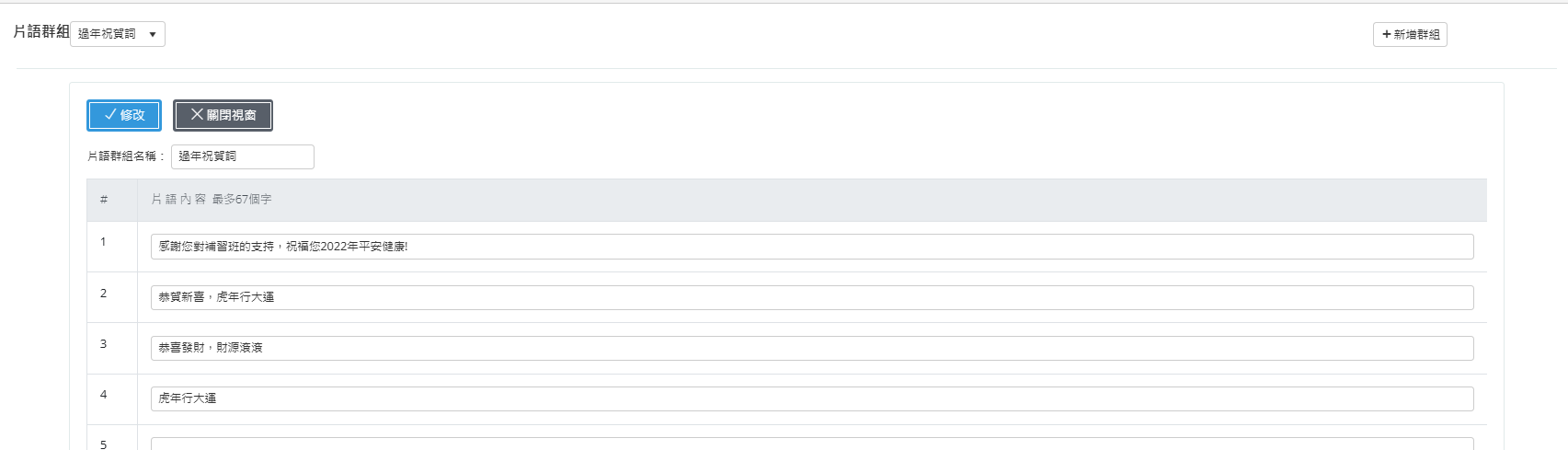
Phrase groups can be created, and each group can set up to 50 phrase entries, making it convenient to quickly fill in and send frequently repeated messages.
Operation Process Overview
SMS Sending Steps
- Log in to the backend using an administrator account and go to Management Area > SMS Management.
- Click the Add SMS button.
- Enter the SMS subject and content.
- Set recipients (classes, students, or staff).
- Choose immediate sending or scheduled sending.
- Click Confirm Send to complete.
Import List Steps
- Go to the SMS feature page and click Import List.
- Download and fill in the sample file.
- Upload the completed file.
- The system automatically imports the list and sends after confirmation.
Usage Scenario Examples
- Course Reminder: Automatically send course reminders to prevent students from missing classes.
- Administrative Notification: Quickly send notifications to all personnel when emergencies or special events occur.
- Enrollment Promotion: Instantly deliver enrollment messages and promotional information during the enrollment period.
- Safety SMS Notification: Send safety notifications to parents immediately after off-campus activities.
- Emergency Notification: Immediately send response measures to all personnel when unexpected incidents occur.
SMS Real-Name Registration Notes
-
In response to government anti-fraud regulations, SMS sending must comply with real-name registration requirements before it can be used normally.
-
If real-name registration review is not completed, SMS messages may be filtered or blocked by telecommunications operators, resulting in reduced sending success rates or recipients being unable to receive messages normally.
-
Please provide officially registered or publicly recognized organization names as real-name registration names, such as:
- Company name
- Brand name
- School name
- Cram school name
- Association name
- Event name
- Commonly used official abbreviations (such as: National Chengchi University, Domino’s)
-
Up to 5 alternative names can be provided for review as real-name registration names.
-
Applying for real-name registration requires providing front and back copies of the responsible person’s identification card as verification documents.
-
Depending on the type of application name, corresponding supporting documents must also be provided:
- Cram school / school / association: establishment permit or registration certificate
- Enterprise name: company establishment (or change) registration form
- Brand name: brand official website screenshot or trademark registration certificate
- Event name: event application certificate or event webpage screenshot
-
Contact window information for the application must be provided, including:
- Contact person name
- Contact phone number
-
The system usage website URL must be provided to verify the applicant organization information.
-
It is recommended to complete the real-name registration application as early as possible to ensure that the SMS notification feature can operate normally and stably.
Frequently Asked Questions
Q1: Can SMS messages be modified or canceled after sending?
Sent SMS messages cannot be modified, but scheduled SMS messages can be canceled before sending.
Q2: How can I check SMS sending results?
Go to SMS Management > Sending Records to view detailed sending status and results.
Q3: Is there a character limit per SMS message?
Each SMS message has a limit of 70 full-width characters (approximately 140 half-width characters). Messages exceeding the limit will be automatically split into multiple messages and charged separately.
Q4: What should I do if the recipient does not receive the SMS message?
Confirm that the number is correct and not on a blacklist. If the issue continues, please contact the SMS service provider.
Q5: How can I add or manage frequently used phrases?
Go to SMS Management > Frequently Used Phrase Management to add, modify, or delete frequently used phrases for quick content entry.
This manual strives for accuracy and completeness, but we do not assume any liability for errors, omissions, or updates. The content may be modified at any time without prior notice. We are not responsible for any damages arising from the use of this manual or downloading its contents, including but not limited to system failures, data loss, or infringement of rights. Users assume full responsibility and risk.

全民電商是先進的一站式電商解決方案平台。透過我們獨特的電商平台,商家可以在單一系統中實現開店的功能。想要快速開設線上店鋪的用戶將受益於全民電商提供的完善電商購物功能,從商品管理到付款金流整合,全部一應俱全。
全民電商事業營運部
營業時間
- 星期一至五 10-12 / 13-17
- 星期六、日及國定假日 休息
諮詢電話
- 市話請撥 (04)2297-0977
- 行動請撥 (0982)842-977
線上諮詢